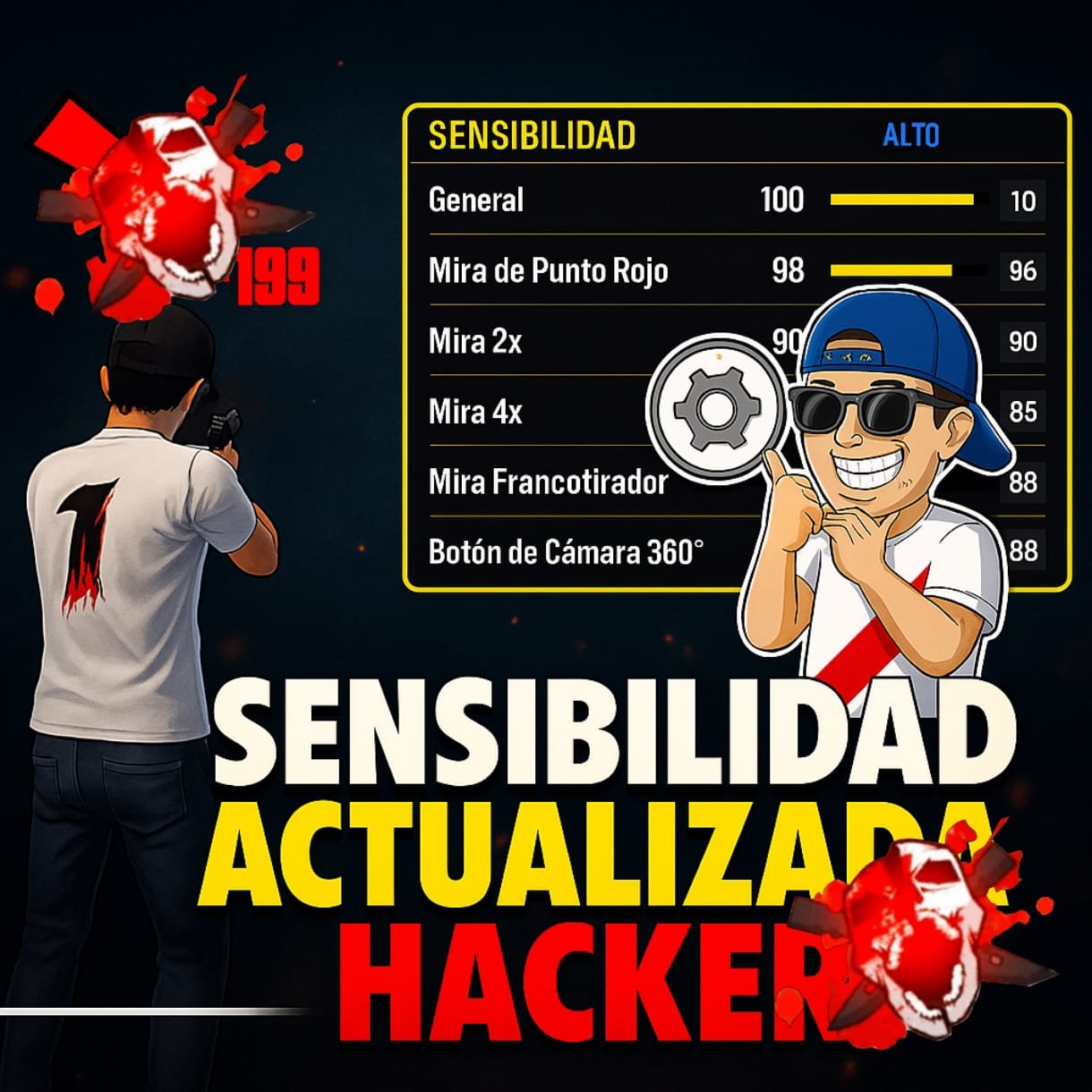
The Best Sensitivity to Give All Red in Free Fire: Updated 2025
If you’re tired of missing your shots and want to hit only red numbers (headshots) in Free Fire, you’ve come to the right place. In 2025, with new device models, updates to Free Fire mechanics, and changes in aim assist behavior, having the right sensitivity settings is more important than ever.
This complete and updated guide reveals how to find the perfect sensitivity setup for giving pure red damage, no matter what phone you use. Whether you play on a low-end device, mid-range, or high-end gaming phone, these tips will help you dominate every match.
🔥 What Does “All Red” Mean in Free Fire?
In Free Fire, when you hit an enemy in the head, the damage number that appears is red. This means you landed a critical headshot, which deals significantly more damage than body shots (yellow or white numbers).
Giving “All Red” means hitting constant headshots, often resulting in one-tap kills with weapons like:
- M1887
- MP40
- AK47
- Desert Eagle
- SCAR or FAMAS with accurate tap fire
This is a dream for most players… but it’s very possible with the right sensitivity setup.
📲 Why Sensitivity Matters in Free Fire
Your sensitivity settings determine how fast or slow your crosshair moves when you aim, scope, or look around. Incorrect sensitivity makes your aim shaky, too slow, or too fast. That’s why adjusting it for your device and gameplay style is key to achieving perfect headshots.
⚙️ Best Sensitivity Settings for “All Red” in 2025
Here are the recommended universal sensitivity values that many pro players use in 2025. These values are optimized for giving red shots consistently:
| Setting | Recommended Value |
|---|---|
| General | 95 – 100 |
| Red Dot | 85 – 92 |
| 2x Scope | 75 – 85 |
| 4x Scope | 60 – 70 |
| Sniper Scope | 45 – 55 |
| Free Look | 55 – 65 |
🔍 Tips:
- If your phone is high-end with smooth FPS, you can keep sensitivity slightly lower for precision.
- If you’re on a low-end phone, keep sensitivity closer to 100 to compensate for touch delay.
📲 Best DPI Settings (Android Only)
If your device supports DPI changes through developer settings or a custom launcher:
- DPI Range: 600 – 780
- Ideal for One-Tap players: 700 DPI
- Helps with faster flicks and aiming at the head
⚠️ Warning: Changing DPI may void your warranty or affect other apps. Do this only if you’re confident and know your device well.
🔧 Custom HUD for Headshots
Your sensitivity is only part of the equation. Your Custom HUD layout must allow fast and natural finger movement.
- Fire button size: 45–55%
- Fire button position: Middle-right (not too high)
- Jump button: Close to fire button (for quick jump+shot)
- Aim precision: Default or Precise On Scope (test both)
Many pro players use 3-finger claw for best control: Thumb (movement), Index (fire), and other thumb (scope/jump/etc.)
🎯 Weapon Tips for More Red
Certain guns naturally give more red with the right sensitivity:
- M1887: Ideal for jump + one-tap headshot
- MP40: Use drag fire (aiming upwards while shooting)
- AC80: Tap for clean 2x red
- Desert Eagle: Best one-tap weapon for red aimers
Important: Practice drag shots (swipe upwards slightly while firing) to increase red headshot chance.
🧠 Train Like a Pro
Even with the perfect sensitivity, practice is key. Try this routine:
- Enter Training Ground
- Use the target dummies
- Practice dragging from chest to head
- Repeat with different guns and scopes
Do this for 10–15 minutes daily and you’ll start seeing results.
📅 Keep Sensitivity Updated
Every major Free Fire update can slightly change the sensitivity behavior or hit registration. That’s why you should:
- Re-test your settings after every update
- Adjust based on performance in matches, not just training
- Record your gameplay to spot weak points
🧨 Bonus Tip: Use GFX Tools Wisely
Some players use GFX Tools to unlock higher FPS, reduce lag, and make aiming smoother. Use them only from trusted sources, and be cautious—some may result in bans.
🏆 Final Thoughts
Getting “All Red” in Free Fire isn’t just about luck. It’s the result of:
✅ The right sensitivity settings
✅ A well-placed Custom HUD
✅ Consistent training and weapon control
With the 2025 sensitivity recommendations, proper device tweaks, and regular practice, you’ll be landing headshots like a pro in no time.
🎯 So go ahead—update your settings, enter the battlefield, and give nothing but red to your enemies. Victory is just a headshot away.
GENERATE YOUR SENSITIVITY
2 thoughts on “The Best Sensitivity to Give All Red in Free Fire: Updated 2025”